
2G to 4G Solar Camera Upgrade: Migration Checklist (2026)
How to migrate remote solar camera sites from 2G or 3G to 4G LTE: band and SIM checks, the power re-budget most projects miss, data plan sizing, and a site-by-site migration checklist.
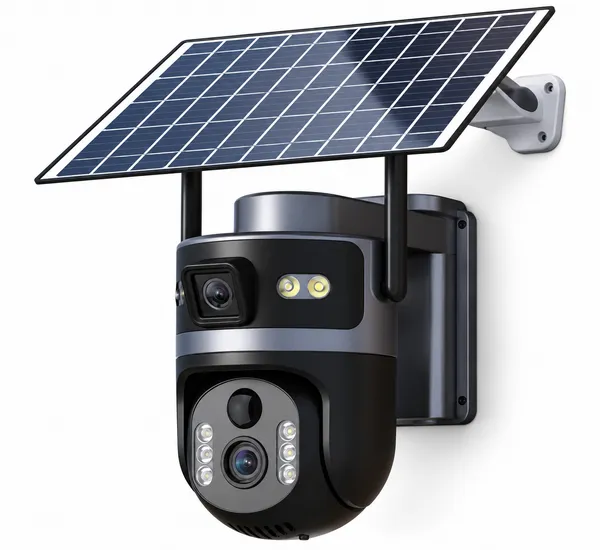
Key Points for Buyers
- 2G and 3G modules are being retired market by market, so working sites stop reporting without a fault
- LTE idle draw and video uploads change the daily energy budget, so panels often need resizing
- Match the carrier band list in writing before ordering; 4G alone is not a specification
- Pilot one site through a cloudy month before batching the rest
- Reusing legacy APN settings and keeping old SIMs active are the two most common migration traps
- 2G and 3G modules are being retired market by market. A working site can stop reporting without any hardware fault.
- The camera swap is the easy part. The power budget changes, and most projects miss it.
- Check bands and APN before you buy — a 4G camera on the wrong band is worse than the 2G unit it replaced.
- LTE idle draw is higher than 2G. A solar system sized for 2G may not carry 4G through winter.
- Migrate site by site with a checklist, not a container order and hope.
Sooner or later every 2G solar camera fleet reaches the same morning: the site is powered, the panel is clean, and nothing arrives. The module still works. The network behind it does not.
This guide is the migration path we walk through with importers and integrators replacing 2G or 3G monitoring sites with 4G LTE solar cameras — including the part that quietly breaks projects, which is power.
1. Why the upgrade is not a straight swap
| Factor | 2G / 3G site | 4G LTE replacement |
|---|---|---|
| Idle power draw | Lower | Higher — the modem holds a data session |
| Solar sizing | Often minimal, sized years ago | May need a larger panel or battery |
| Band support | Fixed 2G/3G bands | Must match the local LTE bands |
| Data volume | Small, text-like traffic | Video clips and previews dominate |
| SIM provisioning | Often legacy APN | New APN, sometimes new MVNO |
| App / platform | Older platform, sometimes discontinued | Current app ecosystem and firmware updates |
| Image quality | Low resolution era | 2K–4K sensors, more data per clip |
Table 1 — Only two rows are about the camera. The rest are about the site.
2. The power re-budget nobody does
A 2G module wakes, sends a small payload and sleeps. An LTE module maintains a data session and uploads video. On the same panel and battery, the daily energy budget can shift enough to fail in the worst month, not on day one.
| What to re-check | Why it changes | Action |
|---|---|---|
| Idle current | LTE standby is higher than 2G | Measure the 4G model, do not assume |
| Event clip size | Higher resolution, longer clips | Re-size the data plan and the upload window |
| Panel watts | Daily Wh went up | Recalculate against the worst month |
| Battery autonomy | Same Wh, higher draw | Fewer dark days covered than before |
| Charging temperature | Winter both cuts capacity and slows charging | Confirm the low-temperature charge range |
Table 2 — The upgrade fails in February, not on installation day. Re-budget before quoting.

3. Band and SIM checks before you order
- Get the carrier's live LTE band list for each region, not the country's general list.
- Match it against the camera's supported bands in writing. "4G" alone is not a specification.
- Confirm APN entry is possible in the app or device menu for MVNO and regional SIMs.
- Test one unit on the real carrier at the real site before committing a batch.
- Decide what happens at 100% of the data allowance — throttle, stop uploading, or stop entirely.
4. Site-by-site migration checklist
| # | Step | Output |
|---|---|---|
| 1 | Inventory existing sites: model, panel, battery, carrier | Migration register |
| 2 | Confirm 2G/3G retirement date with each carrier | Priority order by date |
| 3 | Re-budget energy per site with 4G numbers | Panel/battery decision per site |
| 4 | Verify band support and APN | Approved SIM/carrier list |
| 5 | Pilot one site, one full month including a cloudy week | Go / no-go evidence |
| 6 | Batch the rest by site profile, not by geography | Rollout plan |
| 7 | Decommission old units and remove their SIMs | Avoid duplicate billing |
Table 3 — Step 5 is the one that saves the project. One month of real data beats any datasheet.

Frequently asked questions
Can I keep the old solar panel when upgrading to 4G?
Sometimes, but measure first. LTE standby draw and video uploads are higher than 2G, so the same panel covers fewer dark days. Recalculate the daily energy budget against the worst month before deciding, and check the mount can carry a bigger panel if needed.
Will a 4G camera use more data than the 2G unit?
Usually much more, because resolution and video uploads are higher. Size the plan per site from events per day and clip length, then add 10–30% for previews, firmware updates and reconnects.
How do I know which LTE bands to specify?
Ask each carrier for the live band list in the target region and compare it to the camera's documented bands. Bands used in the capital are not always the bands used in rural areas where these sites usually sit.
What if the old app is discontinued?
Treat it as part of the migration: a new camera usually means a new platform, new device registration and re-training for whoever monitors the site. Budget that time — it is rarely zero.
How many sites should I migrate at once?
Pilot one site through a full month including a cloudy stretch, then batch by site profile. Migrating a fleet at once hides failures until the season changes.
Replacing 2G solar sites?
Send us the regions you operate in and the existing panel and battery sizes. We will confirm band support, re-budget the energy per site, and quote the 4G model that fits the mount you already have.
Plan a 4G migration →Related reading: Solar panel and battery sizing · 4G data plans and SIM management · 4G solar cameras · All buying guides